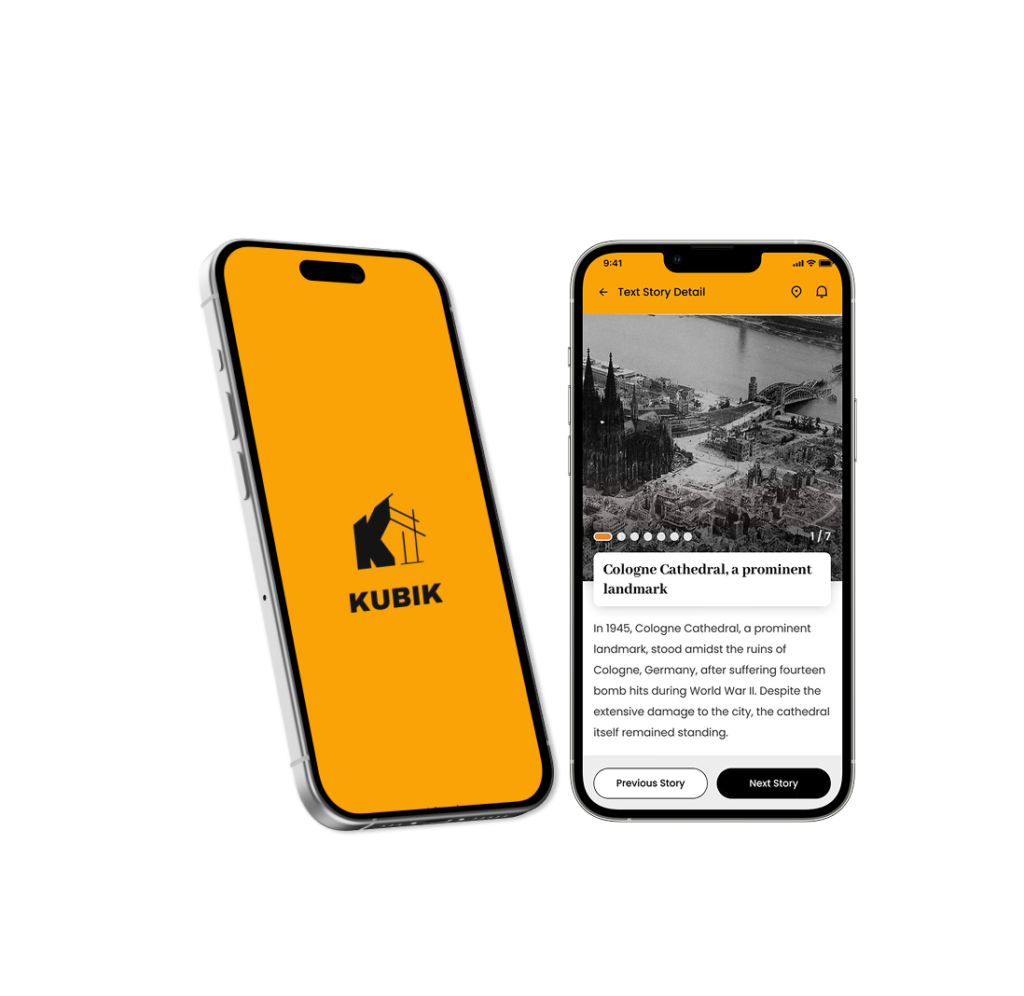
KUBIK — AR Architecture Discovery App

Role

UX/UI Designer

Platform

Mobile (iOS concept

Tools

Figma, Photoshop, Miro

01Overview

KUBIK is a mobile AR experience that helps users instantly discover the history of buildings around them by simply pointing

The app combines AR overlays, before-and-after visuals, short audio guides, and micro-stories to make urban history acc

02 Problem&Goal

Visitors and locals pass historically significant buildings every day, but the stories behind them often remain invisible. Existing solutions—such as museum apps, plaques, or city websites—are:

  • text-heavy and difficult to skim

  • not optimized for mobile use on the move

  • fragmented across multiple platforms

  • inconsistent in content quality and language availability

As a result, people rarely connect emotionally with the places they are standing in front of
Design a fast, mobile-first experience that allows users to:

  • instantly understand the historical context of nearby buildings

  • consume information visually within seconds

  • explore AR-based reconstructions of the past

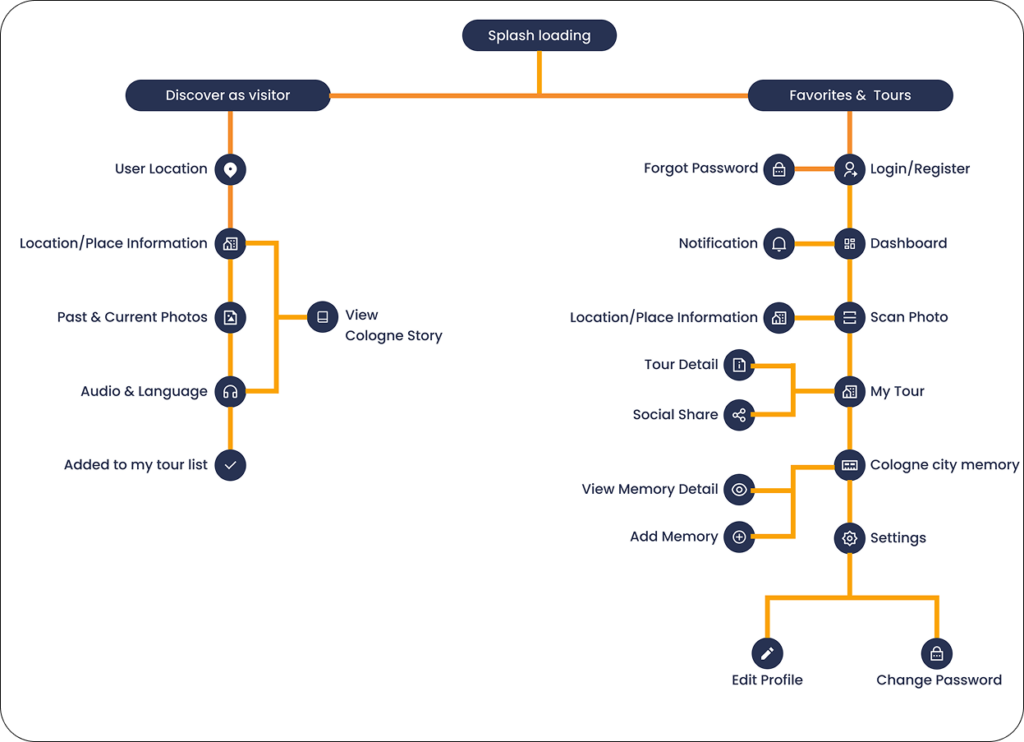
  • save locations and create personal city tours

The goal was to create an immersive, mobile-first AR experience that makes urban history intuitive, fast to explore, and emotionally engaging

Interested in detailed research process?

03 Design Decision

AR-first interaction model

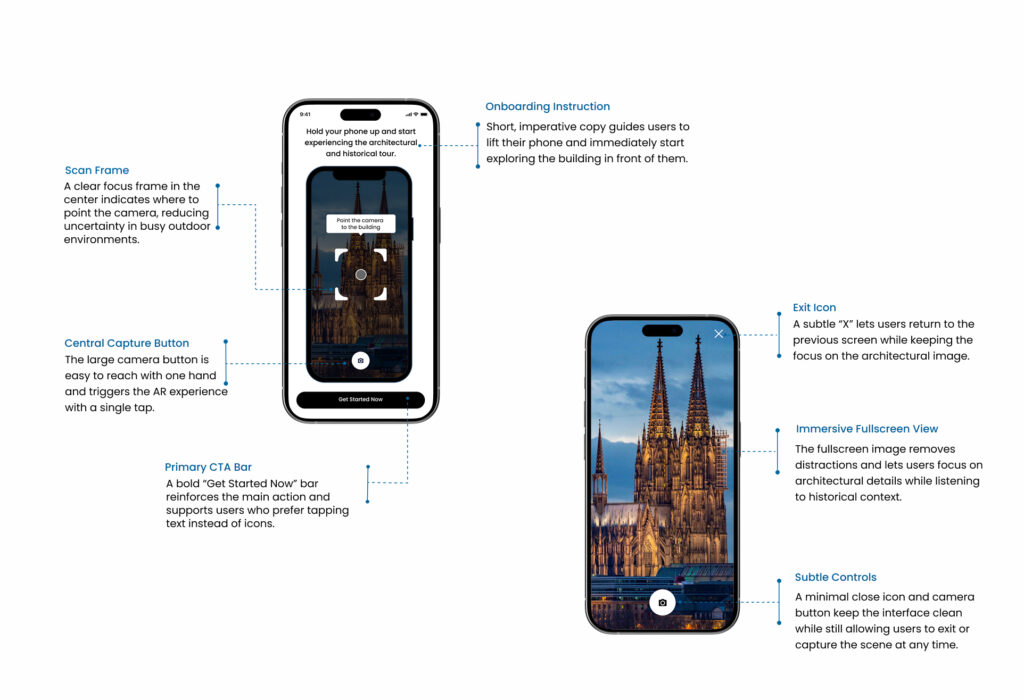
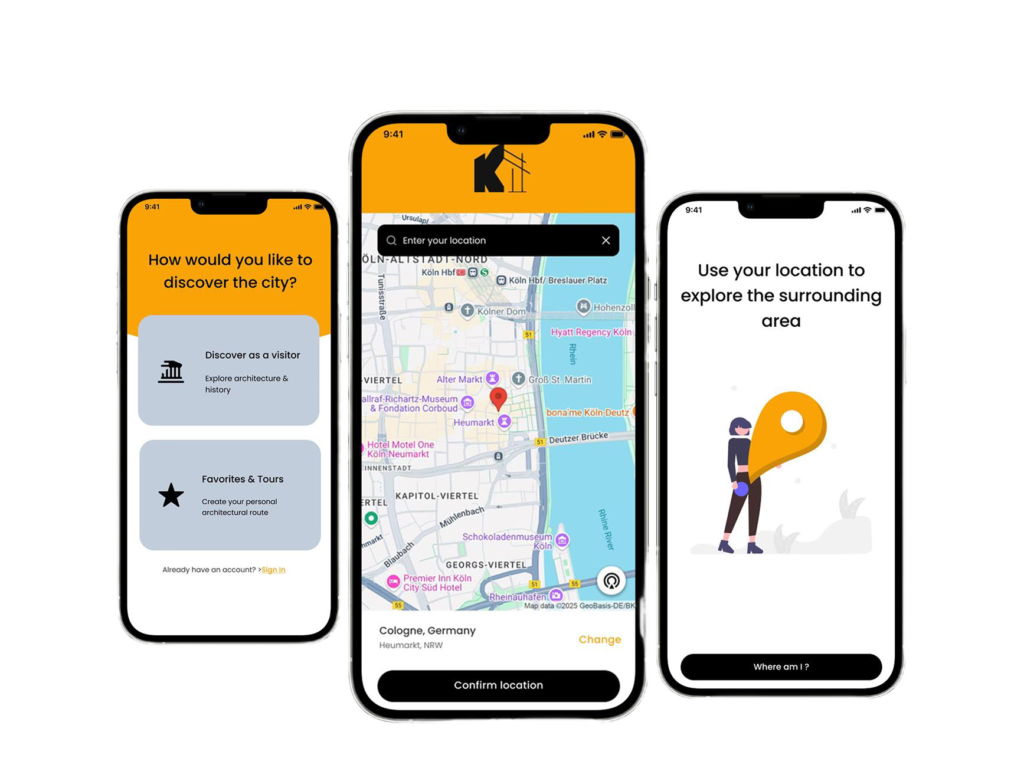
The experience starts with camera activation to immediately connect digital content with physical surroundings

Minimal interface layering

UI elements were reduced to essential controls to keep focus on the real-world environment

Contextual storytelling

Information is delivered in short, scannable segments to support exploration without cognitive overload

Optional depth exploration

Users can access deeper historical context without being forced into long reading sessions

04 Design Showcase

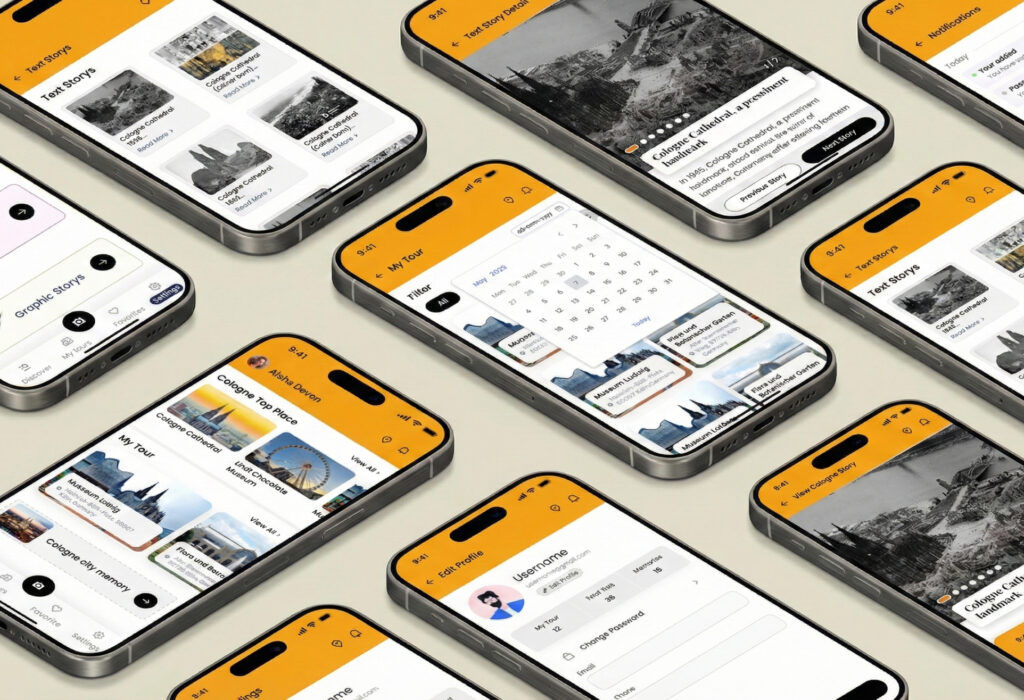
AR building recognition interface

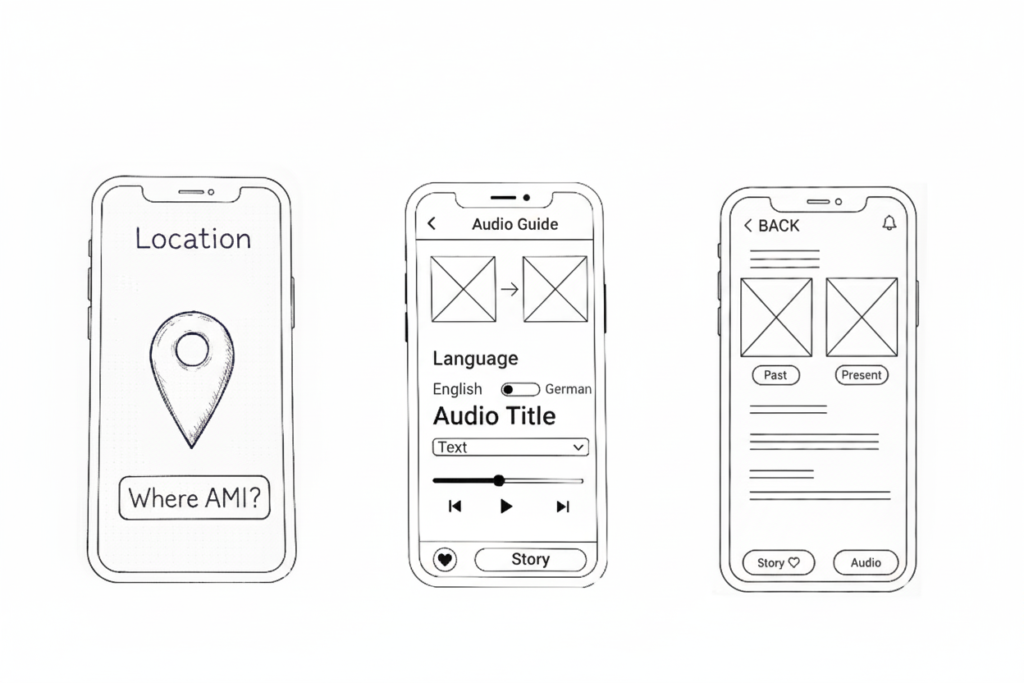
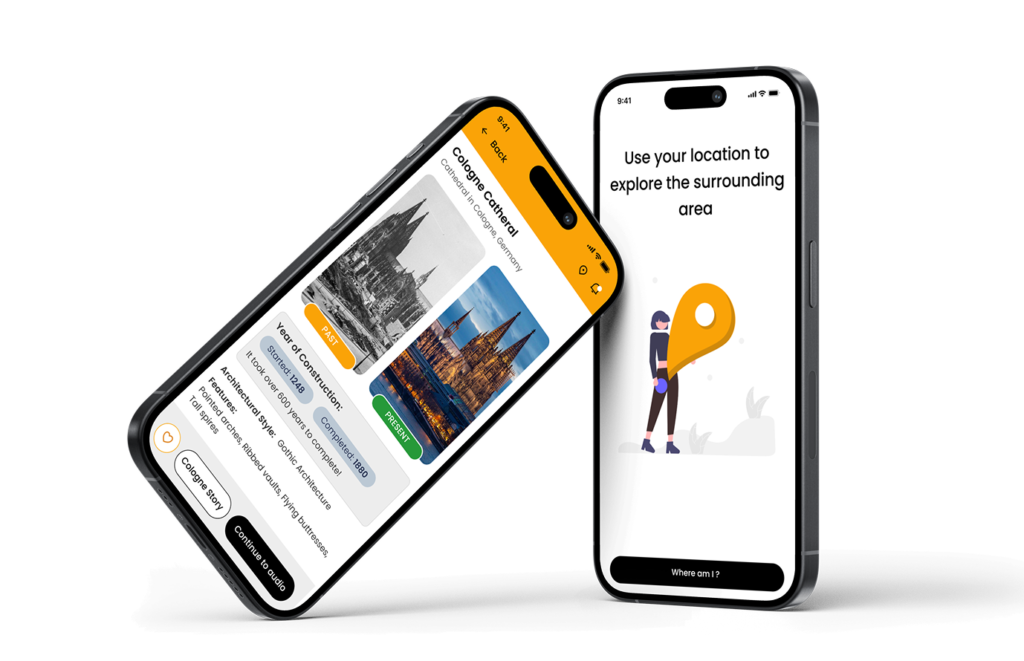
Before-and-after historical comparison view

Micro-story detail screen

Audio playback interface

Favorites & saved tour feature

Each screen was designed mobile-first, prioritizing speed, clarity, and immersive interaction

05 Outcome & Impact

Improved engagement with local history through interactive AR exploration

Increased emotional connection to historical places

Faster understanding of contextual information through visual storytelling


Users reported that the experience felt intuitive, immersive, and visually engaging, making historical discovery more personal and memorable.

06 Key Learning

Reducing interface elements increases immersion in AR experiences

Visual clarity and hierarchy are essential when combining digital overlays with real-world environments

Clear visual feedback strengthens user confidence in spatial AR interactions

Thanks for Reading

want to see more projects or discuss this case study